
Suunto Zoop Makes Diving Simple!

Suunto Zoop Makes Diving Simple!

The Suunto Zoop Novo is a great first computer that makes diving simple. The Zoop Novo has everything you’ll need in a dive computer whether you’re just starting out or looking to buy a new dive computer. It comes with a big, super-bright backlit display which makes it easy to understand key dive data at a glance. This simple to use dive computer includes full decompression capabilities, five dive modes (Air, Nitrox, Gauge, Free and Off) and straight-forward, menu-based Suunto user interface.

Key Features

  • Five modes: air, nitrox, gauge, free and off
  • Full continuous decompression algorithm – Suunto RGBM
  • Built-in dive planner
  • Detailed graphical logs and dive data with your PC/Mac using
  • Suunto DM5 software (no cable in the package – sold as an accessory)
  • Innovative apnea timer for freediving, and a timer in air/nitrox modes


Suunto Zoop Makes Diving Simple!, Vancouver Diving Locker, Canada

Suunto Zoop Novo has four main modes: TIME, DIVE, PLANNING and MEMORY. Change modes by pressing [MODE]. Unless DIVE mode is turned off, Suunto Zoop Novo automatically switches to DIVE mode if you are more than 1.2 m (4 ft) under water.

However, you should switch to dive mode before diving to check altitude and personal settings, battery condition and so on. Each time your Suunto Zoop Novo enters dive mode, a series of automatic checks are performed. All graphical display elements are turned ON, and the backlight and the beep are activated. After this, your altitude and personal settings are displayed along with the maximum operating depth (MOD), gas content, and PO2 values. Then the battery level is checked.

Suunto Zoop Novo has the following dive modes:

  • Air: for diving with regular air
  • Nitrox: for diving using oxygen-enriched gas mixtures
  • Gauge: for using the dive computer as a bottom timer
  • Free: for freediving
  • Off: turns dive mode off completely; the dive computer does not automatically switch the dive mode when submerged and dive planning mode is hidden

More to Explore:

Education

Build Your Dry Glove System

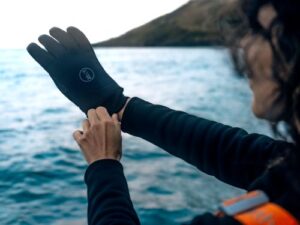
If you dive in cold water, you already know the problem: once your hands get cold, your dive is basically over. A proper drysuit glove system solves this by keeping your hands completely dry and insulated—even in near-freezing conditions.

This guide will walk you through exactly how to put together a reliable dry glove system, what components you need, and how to choose the right setup for your diving style.

Read More »